

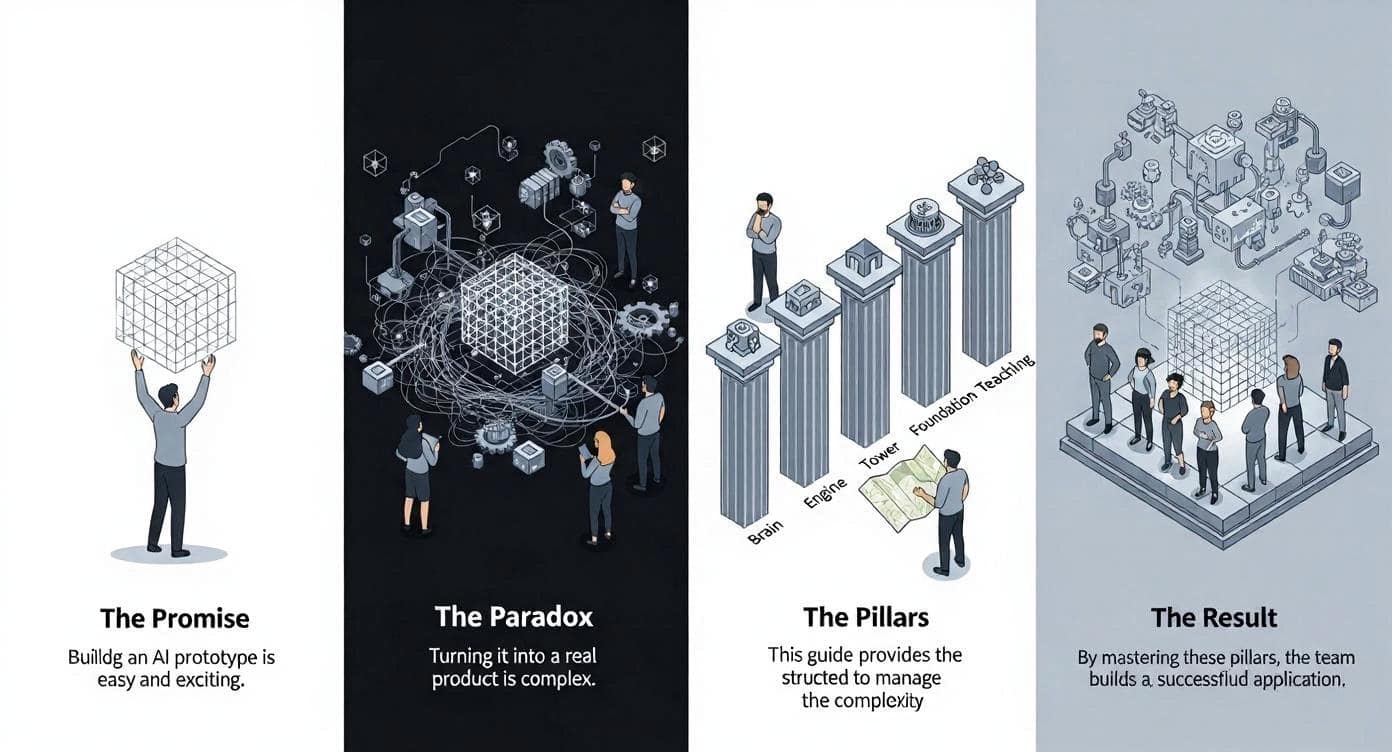
Two things are true about building with AI today:
- It has never been easier for anyone on a team to build a working prototype.
- It has never been more complex to turn that prototype into a reliable, production-grade application.
This paradox is the defining challenge of modern AI tools. The very features that lower the barrier to entry also introduce new layers of unpredictability, latency, and cost, making the traditional, "boring" rules of good software engineering more important than ever.
Building robust AI products is now a team sport. To succeed, everyone from product to design must understand the core systems that transform a fragile demo into a durable application. This guide is your map, breaking down the work into five essential pillars every modern AI team must master together.
What You'll Learn from This Guide
This article is designed to create a shared language for the entire team. Here’s what you’ll get out of it, depending on your role:
- For Product Managers, Designers, and Strategists: This guide will demystify the "black box" of AI engineering. You will learn the vocabulary to understand why a feature might be slow, expensive, or unreliable. This knowledge will empower you to ask smarter questions, make better trade-offs, and contribute more effectively to building a robust product, not just a fragile demo.
- For Engineers and Data Scientists: The AI Engineer role has shifted from training models to integrating powerful pre-trained ones. This guide defines the new landscape of responsibilities—the robust systems, observability, and reliability work that now represents the core of the job. It’s a framework to help you advocate for this crucial, often invisible, engineering effort and bridge the communication gap with your team.
Pillar 1: The Brain — Giving Your AI the Right Information
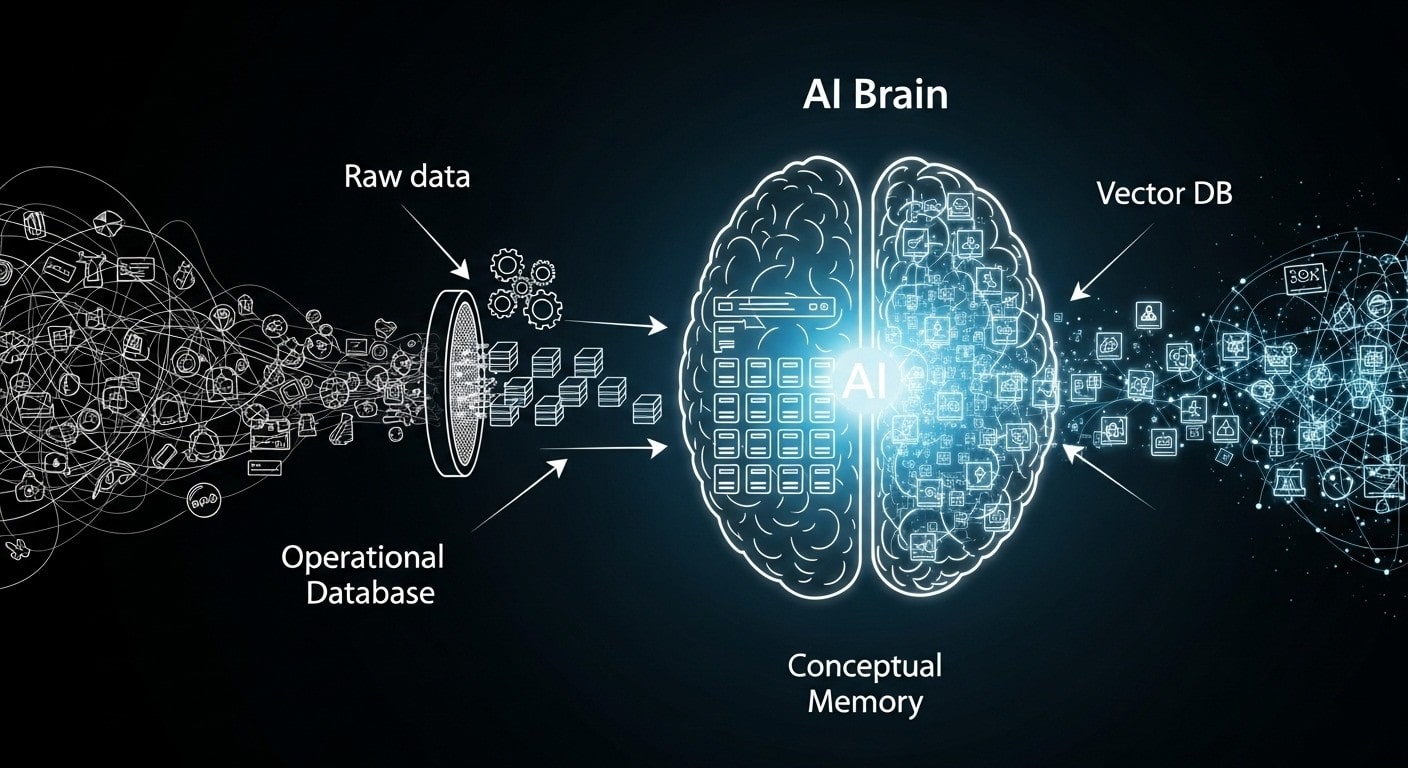
Imagine you have a tidy spreadsheet with all your customer names and their past orders, but all your email conversations with them are sitting in your company's inbox, and notes from phone calls are scattered across dozens of separate documents. To bring this chaos together, the first step is Data Manipulation. This means cleaning out the noise—for example, removing the lengthy email signatures from every message. This useless information will confuse the AI, waste money, and slow it down. This cleaning process, often run through “Pipelines,” is where the whole team can often collaborate more.
- The Quick & Collaborative Way: Visual Tools
For exploring data and building powerful internal dashboards, tools like Hex.tech or Power BI (Microsoft Fabric) are invaluable. They provide a visual interface where a product manager can connect to different data sources and start cleaning them. The power of these platforms shouldn't be underestimated; they can be extended to build very sophisticated internal applications. - The Professional, Automated Way: Pandas
For a live, customer-facing product, engineers use Pandas, a powerful Python library. It is essentially a programmatic Excel, giving them granular control to build automated pipelines that clean and process thousands of documents every day. The reason you build this with code is for automation, testing, and reliability, ensuring the AI's brain is always fed with the freshest information without manual intervention.
Once your data is clean, it needs a brain to live in. The best way to think about this is to imagine two different types of human memory, which have direct parallels in an AI system:
The Fact Sheet: Working Memory
This is your brain’s instant recall—the part that knows your name or address. It's structured and reliable. For this job, engineers use a robust Operational Database like PostgreSQL. It acts as the definitive source of truth for the application's core data. When your app needs a single, correct piece of information right now—like retrieving a customer’s account details—it looks here.
For the Technical Reader: Implementation Details
In a professional Python environment (one of the most used languages in AI), raw database connections are rarely used. Instead, engineers use an ORM (Object-Relational Mapper) like SQLAlchemy to translate Python objects into database queries. This makes the application code cleaner and more maintainable. To manage changes to the database structure over time (like adding a new column), teams rely on a migration tool like Alembic. It provides a version-controlled history of the database schema, ensuring that updates are repeatable and safe to deploy across all environments. Together, PostgreSQL, SQLAlchemy, and Alembic form the standard, production-grade stack for managing an application's structured data.
The Idea Library: Conceptual Memory
This is your brain’s deep, associative knowledge—the part that understands that ‘royalty,’ ‘throne,’ and ‘crown’ are all related concepts. A traditional database had no way of knowing that a "customer complaint about a broken item" meant the same thing as a request for a "product refund."
This is the problem that Vector Databases were built to solve. They are the cornerstone of modern AI applications. Instead of storing exact facts, a vector database stores the conceptual meaning or "vibe" of your information. This allows the AI to find the most relevant document snippets to answer a user's question, even if the wording is completely different.
- The Quick & Unified Way: pgvector
The simplest approach is pgvector, an extension that adds this "idea library" right inside your existing PostgreSQL database. This keeps everything unified and avoids the headache of managing a separate system. - The Professional, Scalable Way: Dedicated Vector Databases
For applications where understanding concepts at a massive scale is the entire point, teams use dedicated services like Pinecone or Weaviate. This is the same tech behind Spotify's "find similar songs" or Google's "find similar photos."
Pillar 2: The Engine — Getting Predictable Results from an Unpredictable AI
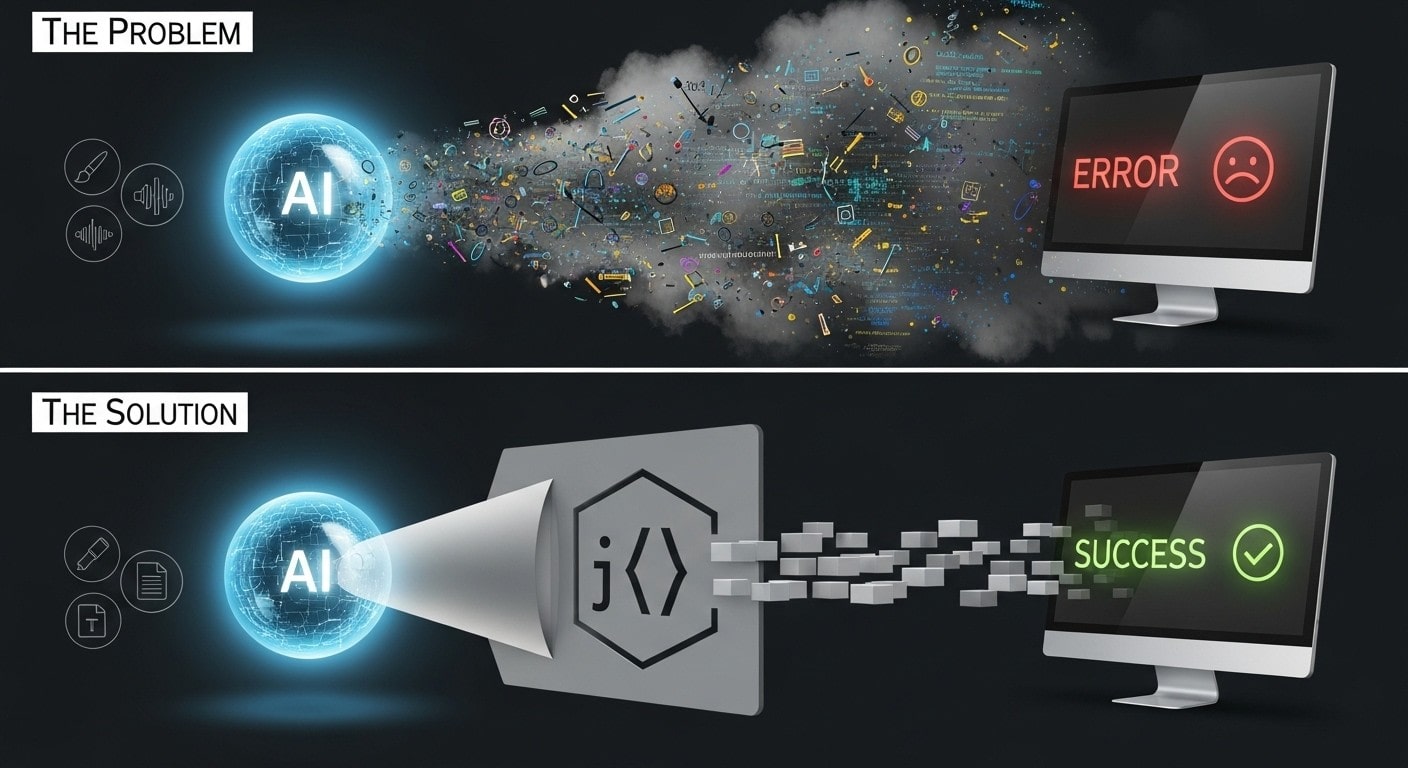
You ask your AI for a simple list of three names. Monday, it returns: ["Alice", "Bob", "Charlie"]. Perfect. Tuesday, it returns: Of course! Here are the names: Alice, Bob, and Charlie. The app's code, which expects a clean list, crashes. This is the single biggest reliability problem in applied AI.
The solution is to use tools for structured output. It’s the difference between asking an open-ended question versus handing someone a fill-in-the-blanks form.
- The Quick & Collaborative Way: Native Custom Formats
Most modern Large Language Models (LLMs) have a built-in "JSON mode", a simple, widely used data format that is easy for humans to read and easy for machines to manage. It’s like politely asking the model, "Please try your best to answer using this form." It's incredibly fast to implement and works most of the time for simple tasks. - The Professional, Production-Grade Way: Validation Libraries
For applications that can't afford to fail, engineers use libraries like Instructor paired with Pydantic. Think of this as an enforceable contract, not a polite request. If the model sends back messy or incomplete data, Instructor automatically catches the error, figures out why it failed, and re-prompts the model with corrections until it gets a perfect response. This automatic validation and repair loop is non-negotiable for a trustworthy application.
Choosing the Right AI for the Job
You need to add voice narration to your new user tutorial. You have a powerful text AI, so you prompt it: "Generate a friendly, welcoming MP3 audio file of the following script." The AI writes back, "I am a text-based AI and cannot create audio files." You've hit a wall, not because the AI is unintelligent, but because you hired a brilliant writer to do a voice actor's job.
This is the central challenge of selecting a foundation model. The solution is to think of them as a team of highly specialized, world-class experts.
- The Quick & All-in-One Way: Proprietary APIs
This is the fastest way to get access to state-of-the-art models. Companies like OpenAI, Anthropic, and Google offer simple APIs for their flagship models (like GPT and Claude for text, or DALL-E for images). This ecosystem also includes powerful specialists like ElevenLabs for hyper-realistic voice generation. You pay for what you use, just like hiring a freelance expert for a specific gig. - The Professional & Controllable Way: Open Models
This is the path for teams that need more control, customization, or predictable costs at scale. The open-source world offers powerful alternatives like Meta's Llama models or those from Mistral. The community hub Hugging Face hosts thousands more specialized models. This is like hiring a talented specialist full-time, but it requires more work upfront—using tools like Ollama to run them locally for testing.
The real trade-off here is Control vs. Convenience. A proprietary API is convenient but offers you zero control over the model's inner workings or its future price. An open model gives you total control but requires you to handle the cost and complexity of infrastructure.
Pillar 3: Time To Adapt — Teaching Your AI New Tricks
Teaching the AI Your Dialect
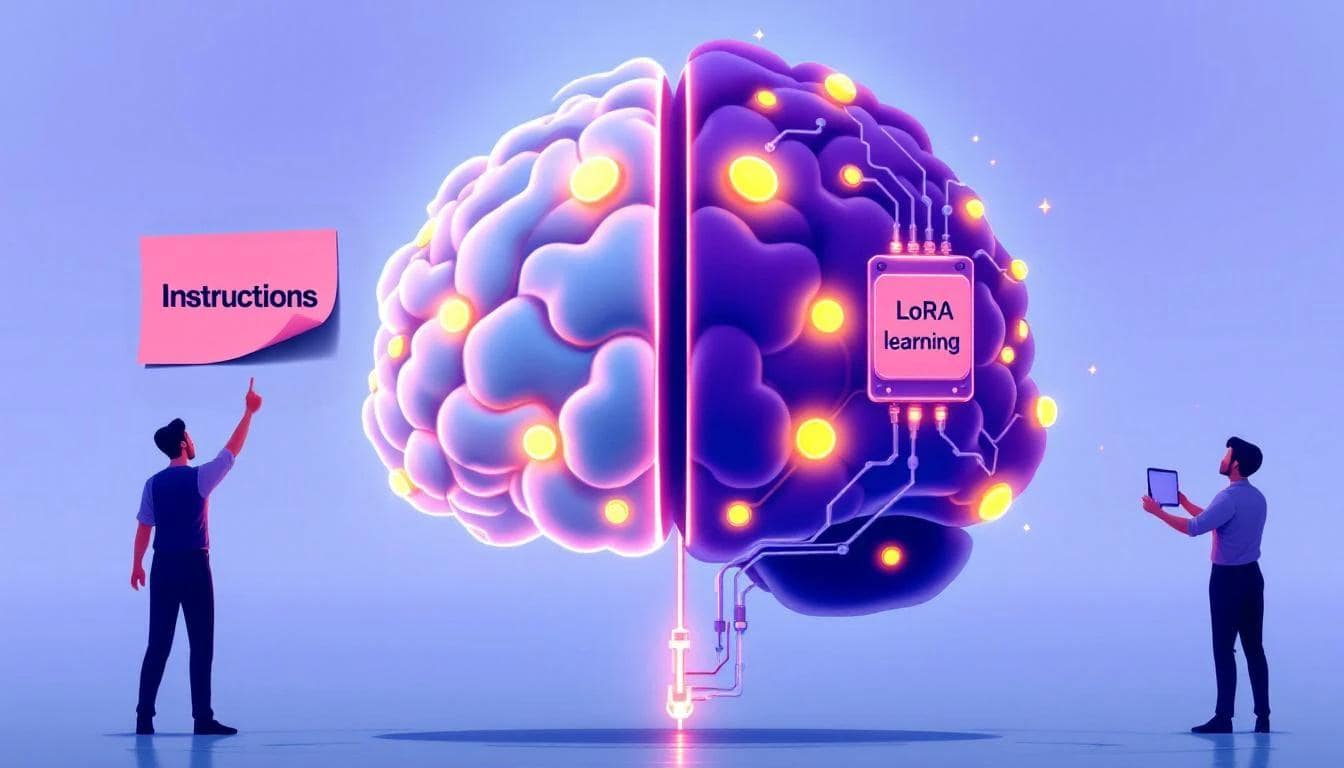
You’ve hired a brilliant AI, but it doesn't know your company's internal jargon. It’s fluent in English, but not in your specific business dialect. How do you teach it your language? This is like onboarding a new employee.
- The Quick & Temporary Way: In-Prompt Examples
This is known as Few-Shot Prompting. You show the AI examples directly in your request, like telling the new hire, "For this one task, when a customer mentions 'Project Phoenix,' they mean our Q4 marketing launch." It's fast and cheap, but the AI forgets this lesson the moment the task is over. - The Professional & Permanent Way: Efficient Fine-Tuning
This permanently alters the AI. Modern techniques like LoRA (and its cousin, QLoRA) don't retrain the entire model. Instead, they freeze the main AI and train a tiny, smart "adapter" with your new knowledge. When you hear a team talk about "fine-tuning," they are almost certainly talking about LoRA. You fine-tune when a specific knowledge domain is so central to your product that you need the AI to be a native speaker, not just a tourist with a phrasebook.
Giving the AI a Memory
You’ve built the perfect AI analyst. A customer tells it, "My project code is 'Q4 Plan,' and the deadline is Friday." The AI gives a brilliant answer. The next day, the customer asks, "What's the status of project Q4 Plan?" and the AI replies, "I have no information about a project with that name." Your AI has amnesia.
- The Quick & Naive Way: Saving Raw Chat History
The simplest solution is to just save the entire conversation transcript and stuff it into the next prompt. This works for a quick demo, but it's incredibly noisy and expensive. The AI has to re-read the entire history every time, and you'll quickly hit the model's context window limit. - The Professional & Scalable Way: Intelligent Fact Extraction
This is where you use a dedicated memory system, powered by tools like mem0. After each conversation, it acts like a smart librarian: it analyzes the dialogue, extracts key new facts, and intelligently adds, updates, or deletes them in the AI's long-term memory (your vector database). The goal isn't to save everything; it's to save the right thing.
Pillar 4: The Control Tower — Monitoring and Working Together
The CFO just messaged you on Slack: "The OpenAI bill was 5x higher than expected last month. Why?" Without the right tools, you have no answers. You're flying blind. This is why you need an observability platform—an airplane's flight data recorder for your AI app.

- The Naive Way: Simple Logs
The default for many apps is to just log simple messages likeError: API call failed. This is the equivalent of the black box just recording "We have a problem!"—utterly useless for finding the root cause. - The Professional, Production-Grade Way: AI Observability Platforms
Tools like Langfuse or LangSmith are built specifically for this problem. For teams using Cloudflare's ecosystem, the AI Gateway provides a simple, integrated alternative. These platforms don't just log errors; they trace the entire journey of a user's request from start to finish.
Working Together: From Answering to Acting, the Next Frontier
You've used your observability platform to find that a specific type of user query is always slow and expensive. Great. Now what? This is the difference between an assistant who can answer questions and one who can solve problems.
- The Collaborative Way: Human-in-the-Loop
This is the most common and practical approach today. The system detects an angry email from a high-value customer and instantly alerts the account manager with a summary and one-click actions:[Draft Apology Email]or[Schedule a Call]. The system prepares the solution, but a human makes the final, critical decision. - The Frontier: The Autonomous Agent
This is where the future is heading. Using frameworks like LangGraph, an agent can be trusted to handle routine issues on its own. The strategic difference between these two paths is Trust and Risk. Right now, building that trust is difficult because we live in a technical 'Wild West' of tool communication. This fragility is the primary reason autonomous agents aren't handling your most critical customer support tickets yet—the business risk of an agent misunderstanding a tool and making a costly mistake is simply too high. To solve this, the industry needs a common language, like Anthropic's Model Context Protocol (MCP), an open standard designed to create a universal plug for any tool.
Pillar 5: The Foundation — Building an App That Doesn't Break or Bore Your Users
A user clicks the "Generate" button and stares at a loading spinner. Ten seconds pass. Twenty. Frustrated, they close the tab. You've just paid for a failed job and lost a user.
The solution is to think of your app like a busy coffee shop. A fast request is handled at the counter immediately. A slow, complex order is passed to the baristas to handle in a queue.

- The Quick & Collaborative Way: Serverless Functions
"Serverless" is a bit of a misnomer. With a platform like Cloudflare Workers, you simply upload a piece of code (a "function"), and it runs only when needed. It’s like setting up a single, efficient kiosk: you can handle tasks without having to build the whole shop. - The Professional, Production-Grade Way: Decoupled Architecture
Production applications are built like that full coffee shop. FastAPI is the fast, friendly cashier who takes the orders. When a slow order comes in, it places it into a queue system like Redis. A separate group of dedicated baristas, powered by Celery, pulls orders from the queue and does the heavy lifting. The reason for this complexity is resilience. You can "hire" more baristas (Celery workers) to handle heavy demand without ever slowing down the cashiers.
This decoupled architecture protects the user experience at all costs. By separating quick tasks from slow ones, you ensure that even if a complex AI generation fails, the rest of the application remains snappy and responsive.
Conclusion: It’s Not About the Magic, It’s About the Craft
The paradox of building with AI today is clear: a magical demo is easy, but a durable product is incredibly hard. The path from a fragile prototype to a production-grade application isn't paved by a more powerful model, but by mastering the "boring" yet essential systems that support it.
This is where the real craft of AI engineering lies: the disciplined, collaborative work of building the AI a clean brain so it can think clearly; forging a reliable engine to ensure predictable results; teaching it to adapt and remember so it grows with your users; installing a control tower to monitor costs and performance; and laying a resilient foundation so the application stays fast and responsive.
These pillars provide the shared language your entire team needs. It’s how you move beyond the initial "wow" of a prototype and begin the real work of building a remarkable, reliable, and truly intelligent application together.